
Download TalkItOut – Custom AI Chatbot Builder, Free Trial, Secure Deployment
Overview – Why TalkItOut Stands Out in the AI Chatbot Landscape
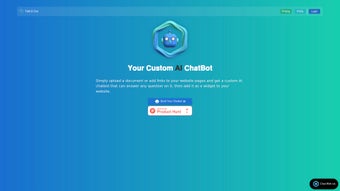
In a market flooded with generic chatbot platforms, TalkItOut distinguishes itself by allowing users to train a conversational AI directly from their own website content, PDFs, or any publicly reachable URL. The concept is simple yet powerful: feed the AI the exact information you want it to know, and let it answer visitor questions with the same tone and accuracy as a human expert. This approach eliminates the need for tedious script‑writing or manual intent mapping, making the creation process accessible to marketers, educators, and small‑business owners who may not have a technical background.
The platform follows a clean three‑step workflow—Input, Train, Deploy. First, you upload files or paste URLs; TalkItOut automatically crawls the pages, extracts text, and respects character limits to keep the model efficient. Second, the system leverages advanced language models (including GPT‑4 and open‑source alternatives) to fine‑tune a bespoke chatbot that can answer queries based on the supplied data. Finally, the bot is delivered as an embeddable widget, an API endpoint, or a shareable link, giving you full flexibility on how you present it to end users.
One of the most appealing aspects of TalkItOut is its free trial, which provides a limited but functional sandbox for new users to experiment without any upfront cost. While the free tier caps the number of documents and the length of the knowledge base, it still showcases the core capabilities—instant training, real‑time response generation, and simple deployment. For teams that require unlimited access or advanced customization (such as custom branding, higher token limits, or dedicated support), the platform offers a tiered subscription model that scales with usage.
Security and privacy are baked into the service. All uploaded files are encrypted in transit and at rest, and the platform complies with GDPR and CCPA standards, ensuring that proprietary content stays protected. Additionally, the widget can be configured with visibility settings, allowing you to restrict access to specific user groups or hide the chatbot from search engines if desired.
Overall, TalkItOut presents a compelling blend of ease‑of‑use, powerful AI, and flexible deployment options, making it a strong candidate for anyone looking to turn static content into an interactive, always‑on assistant.
Features and How TalkItOut Works
Feature List
- Three‑step workflow: Input URLs or files, train the AI, deploy instantly.
- Support for multiple document types – PDFs, DOCX, HTML pages, and public URLs.
- Advanced language model selection – choose between GPT‑4, Claude, or open‑source alternatives.
- Embeddable widget with customizable appearance and branding.
- API access for developers who want deeper integration.
- Shareable chatbot links for quick distribution without coding.
- Granular visibility controls – public, private, or password‑protected bots.
- Subscription plans ranging from a free trial to unlimited enterprise options.
- GDPR‑compliant data handling and end‑to‑end encryption.
- Analytics dashboard showing user interactions, popular queries, and performance metrics.
The magic behind TalkItOut begins the moment you provide source material. When you paste a URL or upload a PDF, the platform’s crawler parses the HTML or extracts text from the document, removes boilerplate elements (like navigation menus or ads), and builds a clean knowledge base. The system respects a configurable character limit—typically 100,000 characters for the free tier—to keep the training process fast and cost‑effective. For larger projects, paid plans raise this ceiling, allowing you to feed the AI with extensive manuals, research papers, or entire product catalogs.
Once the data is ingested, TalkItOut’s AI engine kicks in. Using retrieval‑augmented generation (RAG), the model first searches the knowledge base for the most relevant passages before generating a response. This hybrid approach guarantees that answers are grounded in the supplied content rather than relying solely on the model’s pre‑trained knowledge, which reduces hallucinations and improves factual accuracy. Users can also fine‑tune the tone, set temperature parameters, and limit response length to match their brand voice.
Deployment is equally straightforward. After training, a snippet of JavaScript is generated for the widget, which can be pasted into any website’s HTML—whether you run WordPress, Shopify, or a custom React app. The widget adapts to mobile and desktop screens, and you can adjust colors, button shapes, and welcome messages via the dashboard. For developers, the platform also provides RESTful API endpoints that accept the same query format as the widget, enabling integration with mobile apps, Slack bots, or internal support portals.
Beyond the core features, TalkItOut offers useful ancillary tools. The analytics panel visualizes query frequency, sentiment trends, and drop‑off rates, helping you identify gaps in your source material. You can quickly add new documents to the knowledge base, retrain the model with a single click, and watch the chatbot improve in real time. The sharing options let you generate a short link that opens the chatbot in a standalone page—perfect for demos, webinars, or customer support pages without any code changes.
Overall, the feature set is designed to reduce friction at every stage—data ingestion, model training, and deployment—while giving you enough control to tailor the experience to specific audiences.
Installation, Usage, Compatibility, Pros, Cons & FAQ
Step‑by‑Step Setup (itemprop="howTo")
- Create an account: Visit the TalkItOut homepage and sign up using your email or a single‑sign‑on (SSO) option such as Google or Microsoft. The free trial is automatically activated, granting you access to the dashboard and a limited number of document uploads.
- Upload your content: In the dashboard, click “Add Source.” You can either paste a public URL, drag‑and‑drop a PDF, or upload a DOCX file. The platform will display a preview of the extracted text and indicate if you’re approaching the character limit.
- Configure the AI: Choose the language model (e.g., GPT‑4) and set optional parameters like temperature (controls creativity) and max tokens (controls answer length). You can also enable “tone presets” such as formal, friendly, or technical.
- Train the bot: Click “Train.” The system usually completes training within a few minutes for small knowledge bases. A progress bar shows the status, and you’ll receive an email notification once the bot is ready.
- Deploy the widget: After training, go to the “Deploy” tab. Here you’ll find a JavaScript snippet and a set of customization options (color palette, welcome message, avatar). Copy the snippet and paste it into the
or just before the closingtag of any web page you control. - Test and iterate: Open the page where you embedded the widget and start a conversation. If the bot misinterprets a query, you can add additional documents or edit the existing knowledge base, then retrain with a single click.
Compatibility (itemprop="operatingSystem")
TalkItOut is a cloud‑based SaaS solution, which means it works across virtually every operating system that can run a modern web browser. The official compatibility list includes:
- Web browsers: Chrome, Firefox, Edge, Safari, and Opera (latest two versions).
- Desktop OS: Windows 10/11, macOS Monterey and later, Linux distributions with GNOME/KDE.
- Mobile OS: Android 8.0+ and iOS 13+, both via the responsive widget or the native TalkItOut mobile app (available on Google Play and the Apple App Store).
- Integrations: Works with popular website builders (WordPress, Wix, Squarespace) and e‑commerce platforms (Shopify, BigCommerce) through a simple plugin or a custom HTML block.
Because the heavy lifting (crawling, training, inference) happens on TalkItOut’s servers, there are no system requirements on the client side beyond a stable internet connection. This makes it ideal for teams that use a mix of Windows laptops, MacBooks, and Linux workstations, as well as remote field agents who rely on tablets or smartphones.
Pros
- Intuitive three‑step workflow reduces time‑to‑value.
- Supports multiple document formats and public URLs.
- Retrieval‑augmented generation improves factual accuracy.
- Embeddable widget is fully customizable and responsive.
- API access enables deep integration with existing tools.
- Free trial provides a risk‑free way to evaluate the platform.
- GDPR‑compliant data handling and end‑to‑end encryption.
- Analytics dashboard helps refine content and improve bot performance.
- Scalable subscription plans for individuals to enterprises.
- Cross‑platform compatibility (Windows, macOS, Linux, Android, iOS).
Cons
- Free tier limits the number of documents and total characters.
- Training time can increase for very large knowledge bases.
- Advanced model selection (e.g., GPT‑4) may incur higher subscription costs.
- Widget customization, while flexible, does not support full CSS overrides.
- API rate limits are enforced on lower‑tier plans.
- No built‑in multilingual translation; each language requires separate training.
Frequently Asked Questions
Can I use TalkItOut on mobile devices?
Yes. TalkItOut’s widget is fully responsive and works on any modern mobile browser. Additionally, a dedicated mobile app is available on both Google Play and the Apple App Store, allowing you to manage bots, view analytics, and even train new models directly from your phone or tablet.
What happens to my uploaded documents after the trial ends?
All uploaded files are encrypted and stored securely on TalkItOut’s servers. When a free trial expires, the data remains in a read‑only state for 30 days, giving you time to export or upgrade. After that grace period, the data is automatically deleted to comply with privacy regulations.
Is there a limit to how many bots I can create?
The free tier allows up to three distinct bots, each with its own knowledge base. Paid subscriptions remove this limitation, enabling unlimited bot creation across multiple projects and departments.
How does TalkItOut handle sensitive or confidential information?
TalkItOut encrypts all data both in transit (TLS) and at rest (AES‑256). Access to the underlying knowledge base is restricted to authenticated administrators, and you can further limit widget visibility with password protection or IP‑based restrictions.
Is there support for multilingual chatbots?
TalkItOut does not include automatic translation, but you can train separate bots for each language by uploading documents written in the target language. This ensures each multilingual version maintains the same level of accuracy as the original.
Conclusion – Your AI Chatbot Journey Starts Here
TalkItOut gives you everything you need to transform existing content into a conversational assistant that works 24/7, scales with demand, and respects the privacy of your data. The free trial removes any barrier to entry, letting you experience the three‑step process first‑hand before committing to a plan that matches your budget. Whether you are a small business looking to reduce support tickets, an educator wanting to provide instant answers to students, or an enterprise seeking a secure, brand‑aligned chatbot, TalkItOut delivers a reliable, easy‑to‑deploy solution.
Ready to see how quickly you can launch a custom AI chatbot? Download TalkItOut now and start building your first bot today. The combination of powerful AI, robust security, and cross‑platform compatibility makes TalkItOut the smart choice for anyone who wants to turn static documents into dynamic, interactive experiences.



.png)



